
Tourcraft bicycle touring planner
Plan a long-distance bicycle tour on desktop, then use the Tourcraft mobile app during the ride for day planning, tour progress, route notes, and changes on the road.
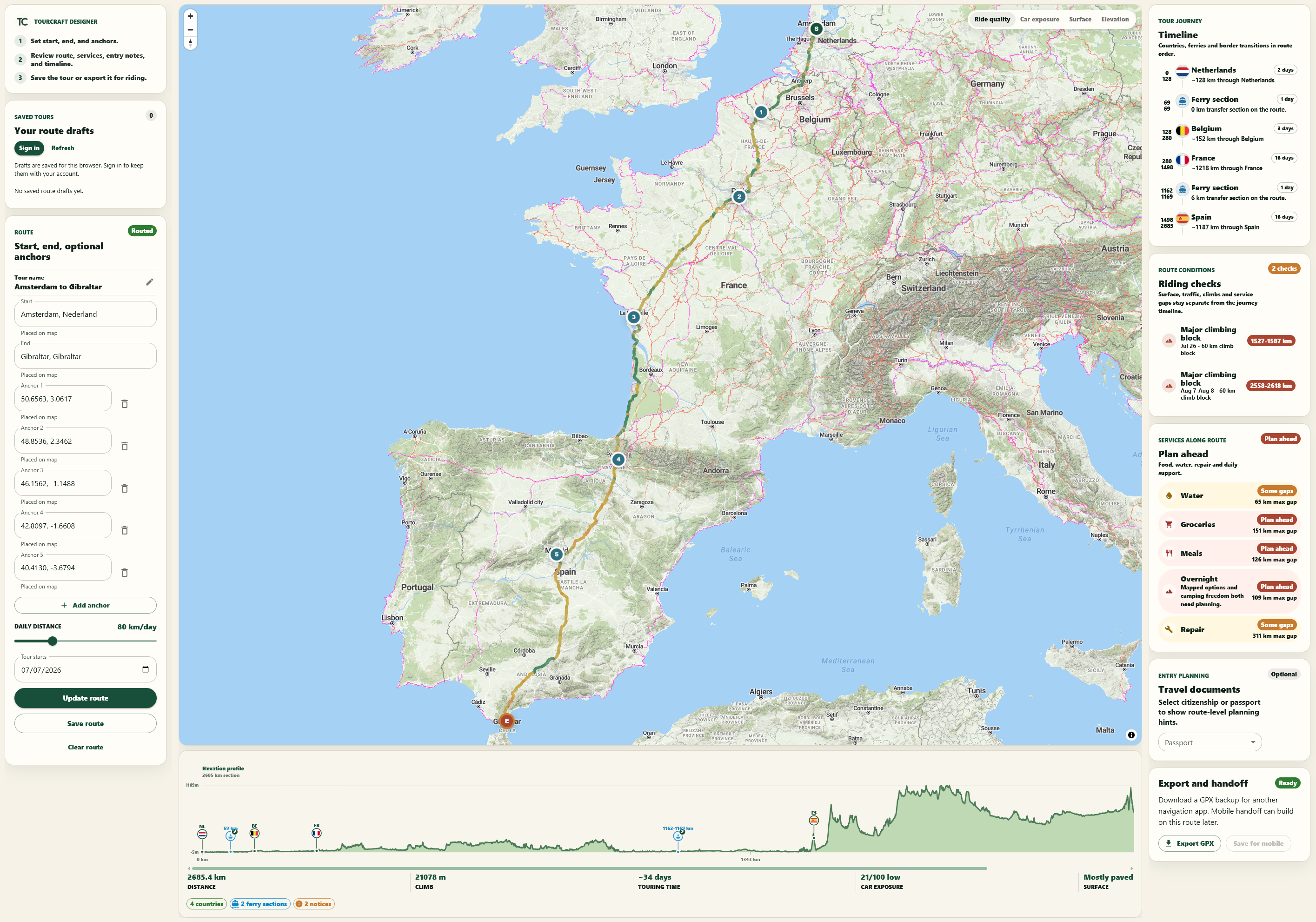
Plan the tour on desktop
Use the web designer to shape the route, compare the important touring details, and prepare the trip before departure.
Ride with the mobile app
Carry the plan into the mobile app for day planning, tour progress, and decisions that happen on the road.
Review touring checks
Check road feel, services, ferries, country notes, route inspiration, and coverage before the ride gets expensive to change.
Use long-distance inspiration
Use EuroVelo and curated touring routes as references while shaping your own trip.
One tour workflow, two surfaces
The web app is where the tour is designed. The mobile app is where the tour is managed.
Design on desktop
Shape the long-distance route, anchors, route inspiration, and touring checks in the web designer.
Review the tradeoffs
Check services, ferries, entry notes, road feel, coverage, and route guides before departure.
Continue on mobile
Use the mobile app for day planning and the full-tour view.
Adjust while riding
Change the plan as distance, services, weather, ferry timing, and the route itself change.
Built for bicycle touring decisions
Tourcraft is most useful when the question is not just where the line goes, but how that line becomes a real tour.
- Planning a multi-country bicycle tour before departure
- Continuing the tour in a mobile app while it is underway
- Checking where long service gaps may matter
- Using EuroVelo routes as inspiration, not a fixed itinerary
- Understanding country-level camping, border, ferry, and weather context
Common questions
Is Tourcraft only a desktop planner?
No. The desktop planner is where a tour starts. The mobile app is what you use once the tour is moving: today's plan, progress, route notes, and the next call to make.
What does the mobile app do during a tour?
It turns the full route into rideable days, keeps the wider tour in view, and helps you adjust when distance, weather, services, ferries, or timing change.
Does Tourcraft replace navigation apps?
Yes. For touring, Tourcraft is designed to cover the route from the first day to the finish: the total tour, today's route, and navigation for the day. You do not need a separate navigation app for the touring activity.